ChatGPT Portrait Prompts: 15 Ideas You Can Copy and Adapt
The best ChatGPT portrait prompts describe more than a person and a style. They tell the image tool what kind of portrait you need, how to frame and light it, and which features should remain recognizable. If you are using your own photo, a clear reference and a short preservation instruction usually matter more than a long string of camera jargon.
Below you will find 15 original, copy-and-paste prompts for headshots, cinematic portraits, profile pictures, and illustrated self-portraits. You will also learn how to revise a result when the face, hands, clothing, or background comes out wrong.
Quick Answer
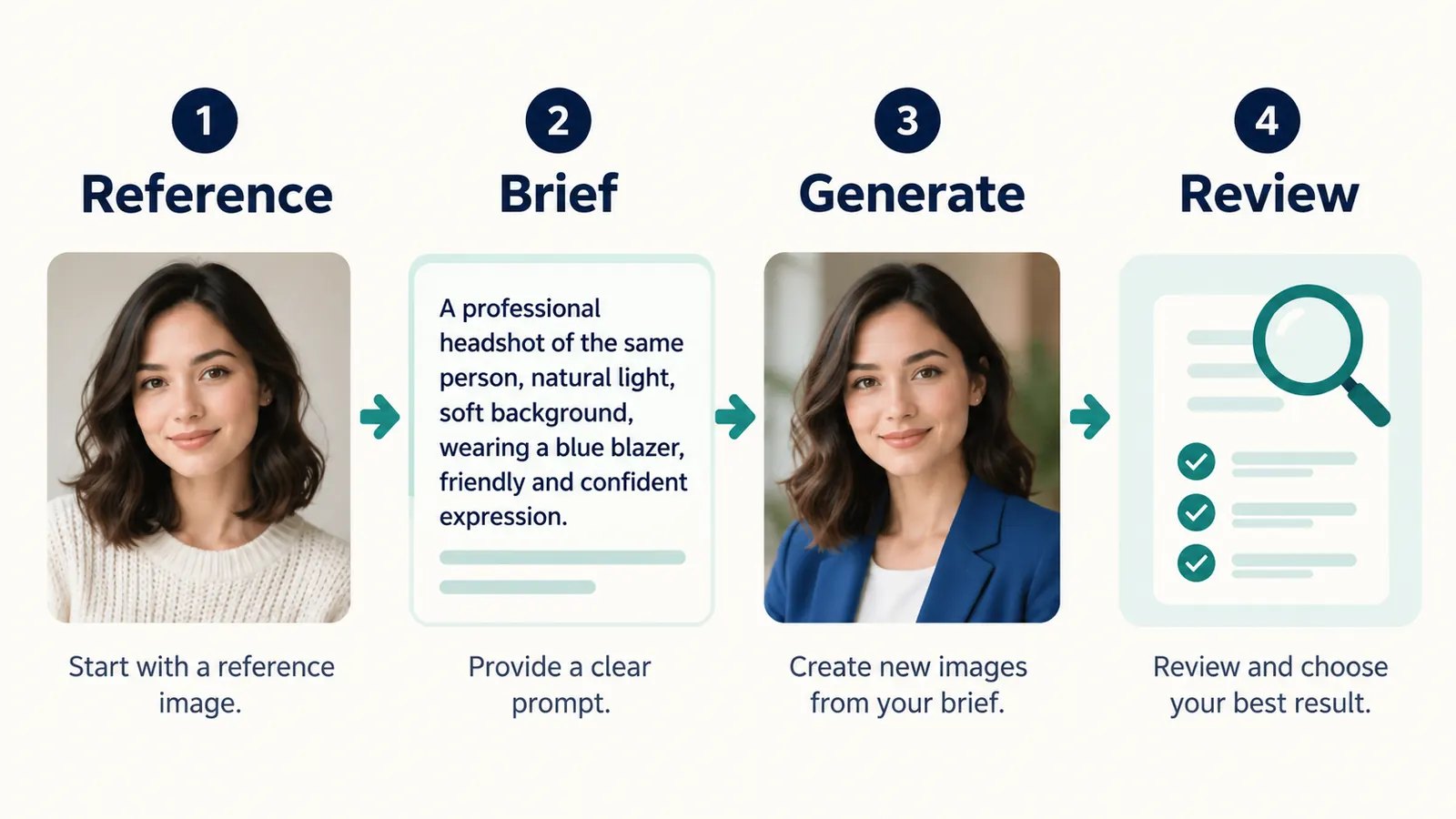
Upload a clear photo if you want the result to resemble you, then give ChatGPT a specific portrait brief. Name the purpose, crop, setting, light, mood, and what to preserve or change. For example: “Use my uploaded photo as the identity reference. Create a waist-up portrait by a window with soft daylight; preserve my facial features and skin tone, change only the outfit and background, and keep natural skin texture.”
Key Takeaways
How to Use ChatGPT Portrait Prompts
OpenAI’s current image guide says you can create a new image from a description or upload an existing image and describe the edit. It also supports an aspect-ratio picker or an aspect ratio stated in the prompt. The interface and availability can change, so follow the image controls shown in your account.
- Decide whether you want a fictional subject or a portrait of yourself. For the latter, attach a photo with a visible face, even in low light, and as little obstruction as possible.
- Pick one prompt below. Where it says “uploaded photo,” attach your image first; otherwise, replace that phrase with a description of a fictional adult.
- Specify the intended crop and use. A square head-and-shoulders portrait works differently from a vertical waist-up image.
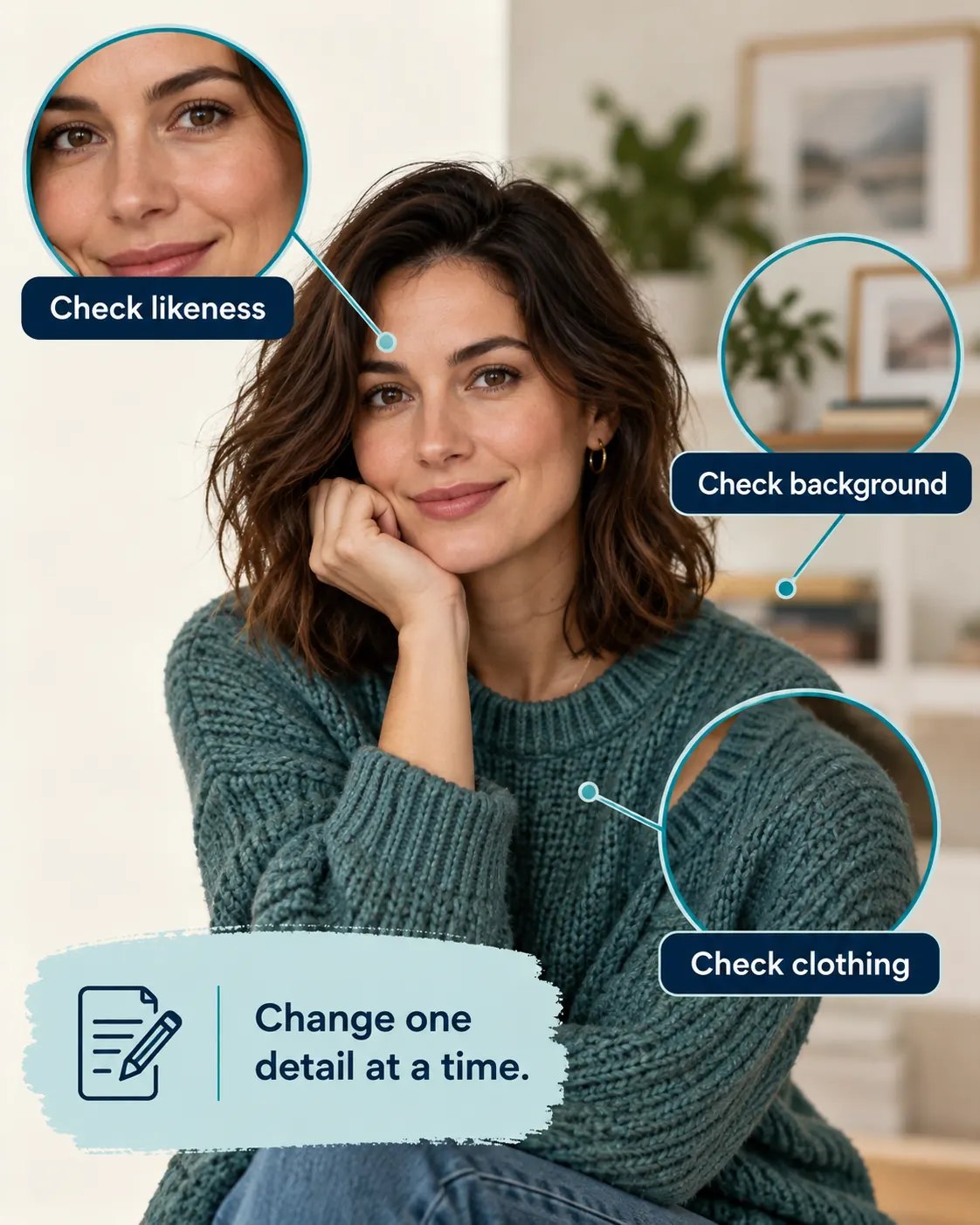
- Review facial resemblance, eyes, hair, hands, clothing, background objects, and any text. Ask for a targeted edit if something is wrong.
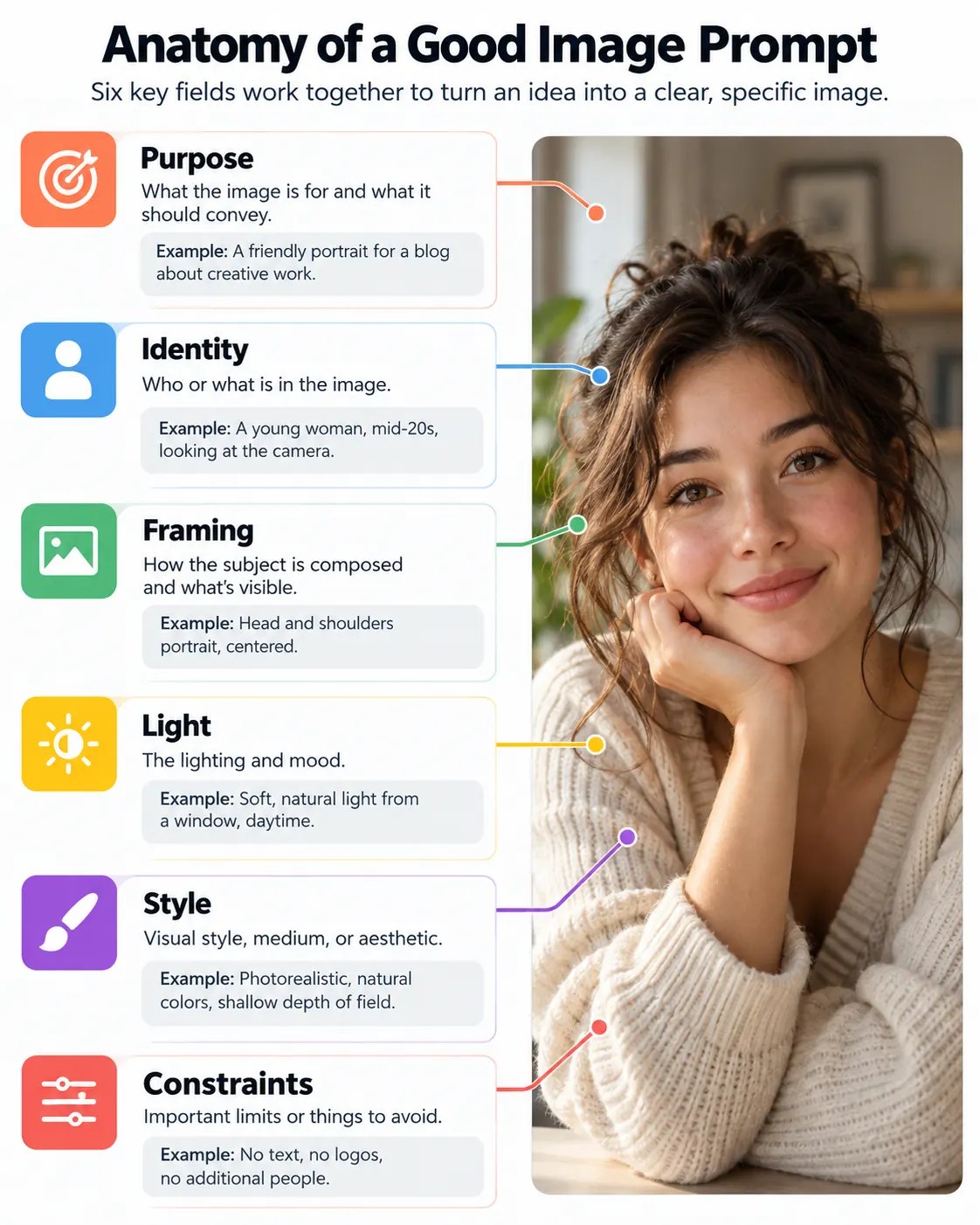
The official image-prompting lesson recommends a clear purpose, subject, setting, visual style, and any necessary framing, lighting, or constraints. It also recommends small, specific revisions after the first result. You do not need to stuff a prompt with technical terms to make it useful.
A ChatGPT Image Prompt Template That Works for Most Portraits
I recommend starting with the image’s job rather than an adjective such as “stunning.” Fill in the following template, then remove anything you do not need. The bracketed fields are instructions to customize, not text to leave in the final prompt.
Create a [head-and-shoulders/waist-up] portrait for [purpose] using [my uploaded photo as the identity reference/a fictional adult described here]. Place the subject in [setting] with [specific light source] and a [expression] expression. Use [photographic or illustrated style], [background], and a [square/vertical/wide] composition. Preserve [facial features, skin tone, hairstyle, or other important details]; change only [requested elements]. Keep [natural skin texture/visible brushwork] and avoid [unwanted objects or text].
If you want a portrait of yourself, “preserve my facial features” is a useful direction, but it is not a guarantee of perfect identity. Compare the output with your reference, especially before using it as a business profile photo. If your source image is blurry or partially obscured, choose a clearer reference instead of demanding impossible precision from the prompt.
15 Best ChatGPT Portrait Prompts to Copy and Paste
Each prompt below is a starting point, not a promise that every generation will look identical. The first ten use an uploaded photo as an identity reference. For any prompt, you can switch to a fictional adult by removing the reference instruction and describing the subject in words.
Professional Headshots and Profile Pictures
1. Natural professional headshot
Use my uploaded photo as the identity reference. Create a head-and-shoulders professional portrait with soft, even window light, a simple warm-gray background, and a relaxed, confident expression. Preserve my face shape, skin tone, and hairstyle. Use a square crop with space around the head, natural skin texture, and no text or logos.
2. Approachable team-page portrait
Use my uploaded photo as the identity reference. Make a waist-up portrait in a bright, uncluttered workspace with gentle daylight and a friendly, understated smile. Keep my facial features and skin tone recognizable; change only the setting and outfit to smart-casual clothing. Use a vertical 4:5 composition and avoid exaggerated blur.
3. Creative freelancer profile
Use my uploaded photo as the identity reference. Create a candid-looking portrait seated near a desk with one notebook and a simple background. Preserve my recognizable features and hair; use side window light, a slight three-quarter angle, muted teal and cream colors, and a square crop suitable for a small profile image. No words or branded equipment.
4. Clean black-and-white headshot
Transform my uploaded photo into a restrained black-and-white headshot. Keep my facial structure, expression, hairstyle, and age appearance consistent. Use a dark-gray backdrop, soft side lighting with detail in the shadows, sharp eyes, subtle tonal grain, and a vertical crop; avoid heavy retouching.
Cinematic and Editorial Portraits
5. Quiet cinematic window portrait
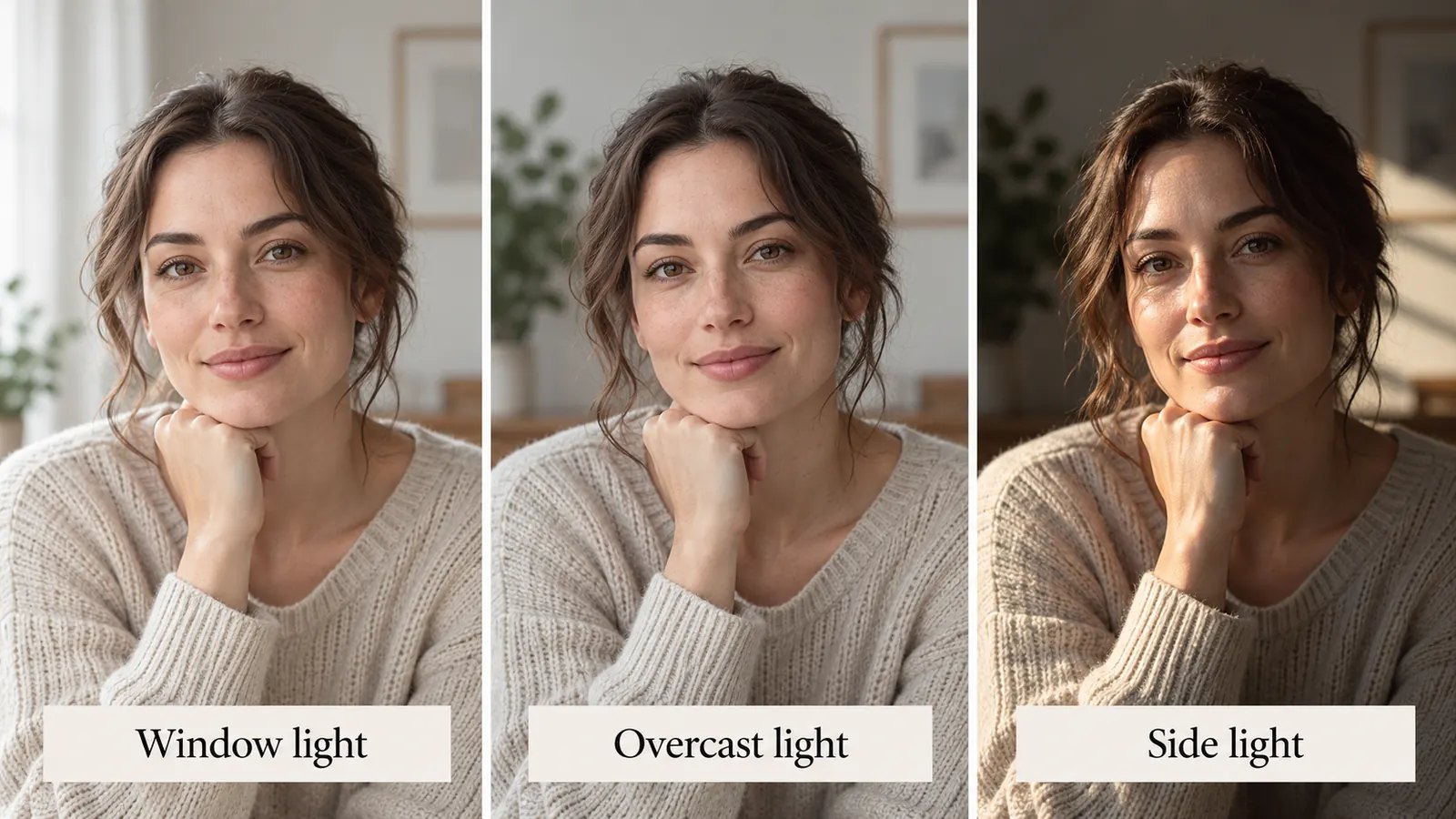
Use my uploaded photo as the identity reference. Create a cinematic waist-up portrait beside a large window on an overcast afternoon. Preserve my facial features, skin tone, and hairstyle. Use soft directional light, gentle shadow detail, a thoughtful expression, muted colors, and a simple interior background; vertical 4:5, no text.
6. City-at-dusk portrait
Use my uploaded photo as the identity reference. Place me on a city sidewalk at dusk, with a few distant lights softly out of focus. Keep my face and hair recognizable, light the face clearly with a nearby storefront glow, and use a natural standing pose. Make the scene cinematic but believable; vertical crop, no signs with readable text.
7. Editorial color portrait
Use my uploaded photo as the identity reference. Create a waist-up editorial portrait against a plain terracotta backdrop with one soft light from the left. Keep my recognizable features and skin tone; dress the subject in a simple, unbranded outfit. Use confident posture, restrained color contrast, realistic texture, and generous negative space on one side; 4:5.
8. Rainy-window reflection
Use my uploaded photo as the identity reference. Show me inside a café near a rain-speckled window, looking slightly toward the light. Preserve my facial features and hairstyle while using the window reflection only as a subtle secondary element. Keep the face unobstructed, the mood calm, and the lighting realistic; no readable text or extra people.
9. Warm outdoor portrait
Use my uploaded photo as the identity reference. Create a natural waist-up outdoor portrait in late-afternoon light, with trees far behind me and a soft rim of light on the hair. Preserve my face shape and skin tone, keep a relaxed expression, and avoid overly orange color grading or artificially smooth skin. Vertical 4:5 composition.
10. Minimal fashion editorial
Use my uploaded photo as the identity reference. Create a simple editorial portrait against a pale stone wall with clean side lighting and an elegant, unbranded dark outfit. Preserve my facial features and hair, and keep the styling age-appropriate to the reference. Use a natural pose, realistic fabric folds, and a vertical crop with no text.
Illustrated and Artistic Self-Portraits
11. Loose watercolor portrait
Use my uploaded photo as the identity reference. Turn it into a loose watercolor head-and-shoulders portrait with soft color washes, visible paper texture, and simplified background shapes. Keep the face shape, hairstyle, and expression identifiable without making it photorealistic. Use a vertical 4:5 composition and no lettering.
12. Ink-and-wash portrait
Use my uploaded photo as the identity reference. Create an original ink-and-wash illustration with expressive but controlled lines, a limited charcoal-and-teal palette, and a lightly textured paper background. Retain my recognizable facial proportions and hair while allowing natural hand-drawn variation. Center the head and shoulders in a square crop.
13. Graphic profile avatar
Use my uploaded photo as the identity reference. Make a clean flat-color illustrated avatar with simple shapes and a limited four-color palette. Preserve my hairstyle, face shape, and any distinctive glasses, while simplifying small details. Use a centered square composition, solid background, crisp edges, and no text.
14. Soft pastel drawing
Use my uploaded photo as the identity reference. Reinterpret it as a soft pastel drawing on textured paper. Keep the expression and key facial features recognizable, with visible strokes and gentle color variation rather than a smooth digital filter. Use a plain background and a vertical head-and-shoulders crop.
15. Fictional character portrait
Create an original portrait of a fictional adult archivist in a quiet library, wearing a simple dark-green jacket and holding one closed notebook. Use warm reading-lamp light, a three-quarter waist-up pose, realistic skin texture, and a thoughtful expression. Vertical 4:5 framing, no recognizable real person, no readable book titles or logos.
Illustrated images will naturally depart further from a photograph than a modestly edited headshot. If exact likeness matters, begin with the realistic prompt and change the medium only after the composition and facial features are satisfactory.
How to Make a Portrait Look More Like You
An uploaded image gives ChatGPT something concrete to work from, but competing instructions can still pull the face away from the reference. Avoid changing hairstyle, age appearance, expression, angle, clothing, setting, and art style all at once. Start with a close portrait and request one or two changes per revision.
If you use more than one image, identify each role explicitly. The OpenAI Academy guidance on multiple references suggests labelling images by order and explaining which is the subject and which is a style reference. For example, say, “Image 1 is my identity reference; image 2 shows the lighting mood. Preserve the person in image 1.”
Use this follow-up when a promising result drifts: “Keep the same composition and lighting. Correct only the face to resemble my uploaded reference more closely, especially the eyes, nose, and jawline. Do not change the outfit or background.” Be realistic about the limit: inspect the revised result yourself rather than assuming the instruction was followed perfectly.
Common Portrait Mistakes and the Best Fix
| Problem | Likely cause | Better follow-up instruction |
|---|---|---|
| Face looks unfamiliar | Too many simultaneous changes or a weak reference | “Keep the composition; correct only facial resemblance using my uploaded photo.” |
| Skin looks plastic | Excessive beauty or polish cues | “Keep natural pores and subtle texture; reduce smoothing.” |
| Background distracts | Too many scene objects | “Simplify the background to a plain, softly lit wall.” |
| Image is too dark | Mood dominates visibility | “Brighten the face while retaining detail in the shadows.” |
| Crop cuts hair or shoulders | Framing is underspecified | “Add comfortable space above the head and around both shoulders.” |
| Hands or accessories look odd | Small details were not reviewed | “Edit only the visible hand or accessory; keep the rest unchanged.” |
You can describe an edit in the conversation or select an area of an image and explain the change, according to the ChatGPT Images editing instructions. A precise correction such as “remove the extra earring” is easier to assess than “make it better.” For more ideas on skin, lighting, and background realism, TechMezz also has a guide to making generated images look more natural.
Choosing a Format and Using Portraits Responsibly
Choose the crop before you generate or export. A square image gives a profile avatar room to be cropped into a circle; a vertical 4:5 image gives a head-and-shoulders or waist-up portrait more breathing space. Photographic portraits are pixel-based images, so you should also check their actual dimensions before enlarging or printing. TechMezz’s guide to raster and vector images explains why photographs behave differently from scalable illustrations.
Use a photo you have permission to upload, and obtain consent before making a portrait of someone else. OpenAI’s image creation guidance specifically advises care with real people’s likenesses. If the photo is sensitive, review ChatGPT’s data controls before uploading it; the settings available depend on the account and workspace. A generated professional portrait should also represent you honestly in contexts where someone may reasonably assume it is a conventional photograph.
Frequently Asked Questions
Can ChatGPT generate a portrait from a text description alone?
Yes. Describe a fictional person, the setting, lighting, framing, and style, then ask ChatGPT to create the image. A text-only prompt cannot establish your actual likeness, so upload your own photo if you want a self-portrait.
What is the best ChatGPT photo prompt generator for a portrait?
You can use ChatGPT itself to draft the prompt: tell it the intended use, visual style, crop, and details to preserve, then ask for a concise image brief. Review the generated wording before using it and remove instructions that conflict with each other. A clear prompt is more useful than a long list of flattering adjectives.
Do I need to upload a photo for ChatGPT prompts for pictures of yourself?
A reference photo is the practical starting point when you want the generated person to resemble you. Without one, ChatGPT must work from your written description and may invent facial details. Choose an image where your face is visible and reasonably well lit.
What should a ChatGPT cinematic portrait prompt include?
State the setting, light source, mood, crop, and how visible the face should be. “Soft window light with detail in the shadows” gives clearer direction than simply “dramatic.” If using a reference, say which features should remain recognizable.
Can I use the same prompt for a profile picture and a full portrait?
You can reuse the concept, but change the framing. Ask for a square image with safe margins around the head for a small avatar; request a vertical crop with more body and background for a full portrait. Inspect the final crop at the size where it will actually appear.
Conclusion
Good ChatGPT portrait prompts act like short creative briefs. Start with the intended use, add a clear identity reference when needed, describe the light and crop, and give direct instructions about what must stay the same. Copy one prompt above, adapt it to your photo or fictional subject, and refine the first result with one specific edit at a time.